Deleting a client
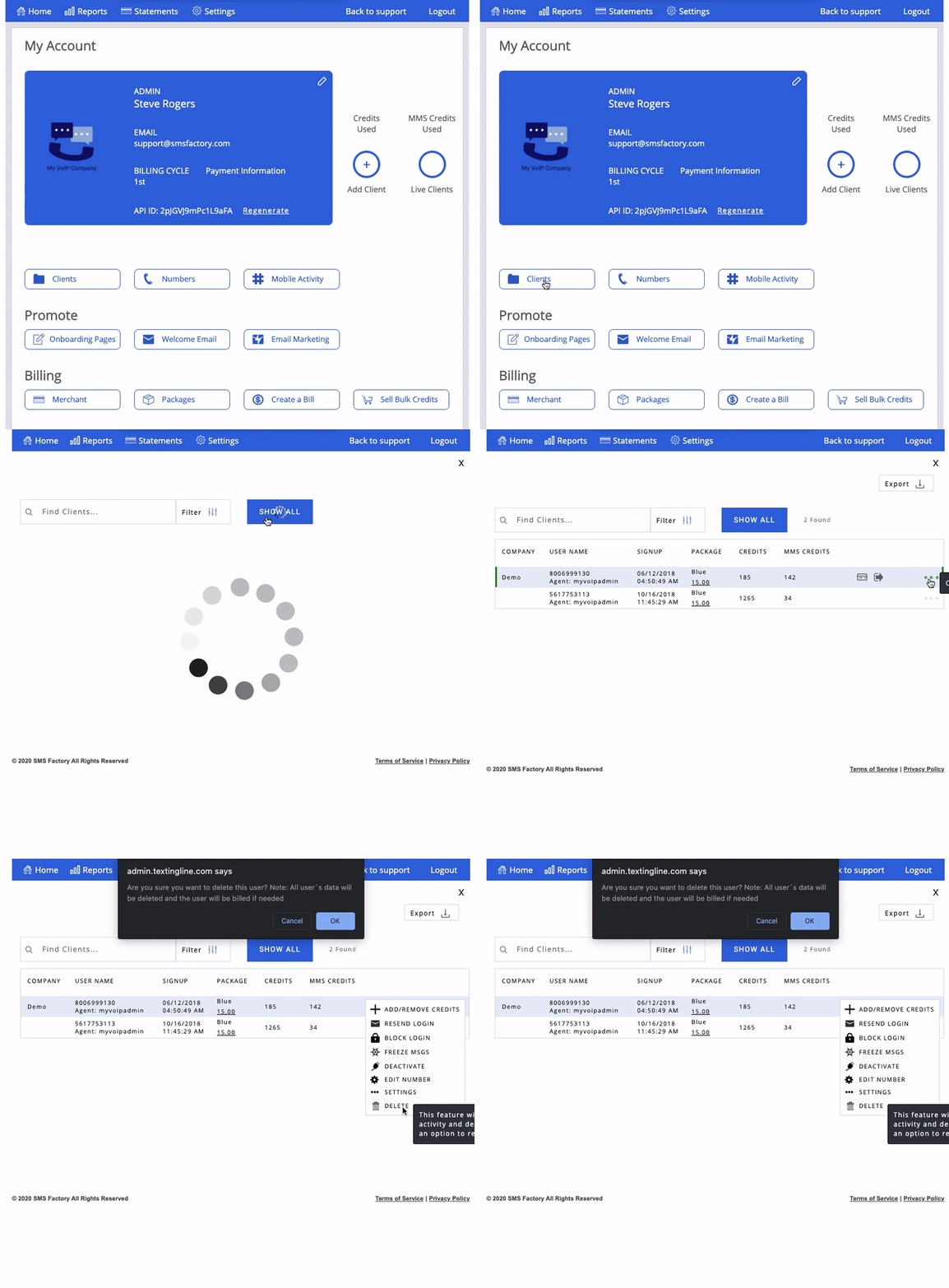
If you need to delete a client account, start by going to your Administrator dashboard and clicking on "Clients." On the next page, type the name of the account you'd like to delete on the search bar or click "Show All" to find it. Once you find the account, hover over the name and click on the three green dots to the right. This will bring up a menu with various options. Select "Delete" and you will then see a window pop-up to confirm this action. Please note that all of the account's data will be deleted and the client may be billed if needed.
Thank you for choosing SMS Factory!