Text Alert Reports
Did you know? You can get detailed information about a text alert sent by using the Messages Sent report. From your administrator dashboard click on Reports then Messages Sent. Next, select specific dates and search for the client that sent the text alert. The system will then present to you the client's account where you'll be able to click on it, then click on the amount of numbers that received a text alert, and finally, see actual numbers that received a text alert.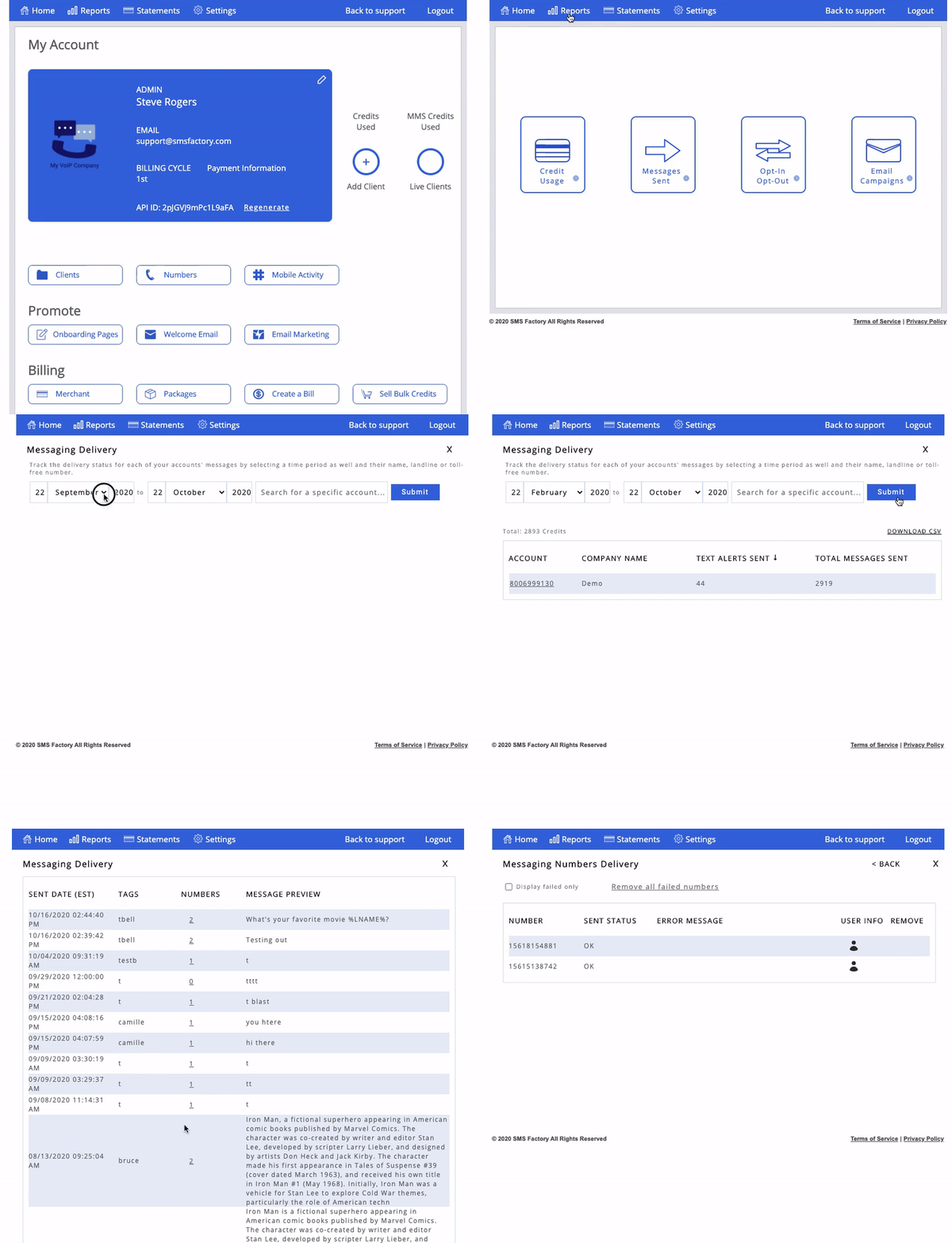
Have a great week!
SMS Factory