Account Time Zone
Did you know? Your account is set to a specific time zone. You can check it by going to the top-right menu and selecting "Profile." On the next page, you will be able to view your account information including your time zone. You can click on the dropdown menu to change it and press "Save Changes." This is helpful to know when scheduling messages and being in a different time zone than the one in your account. Meaning that your messages will go out based on the time zone selected in your account and not your own.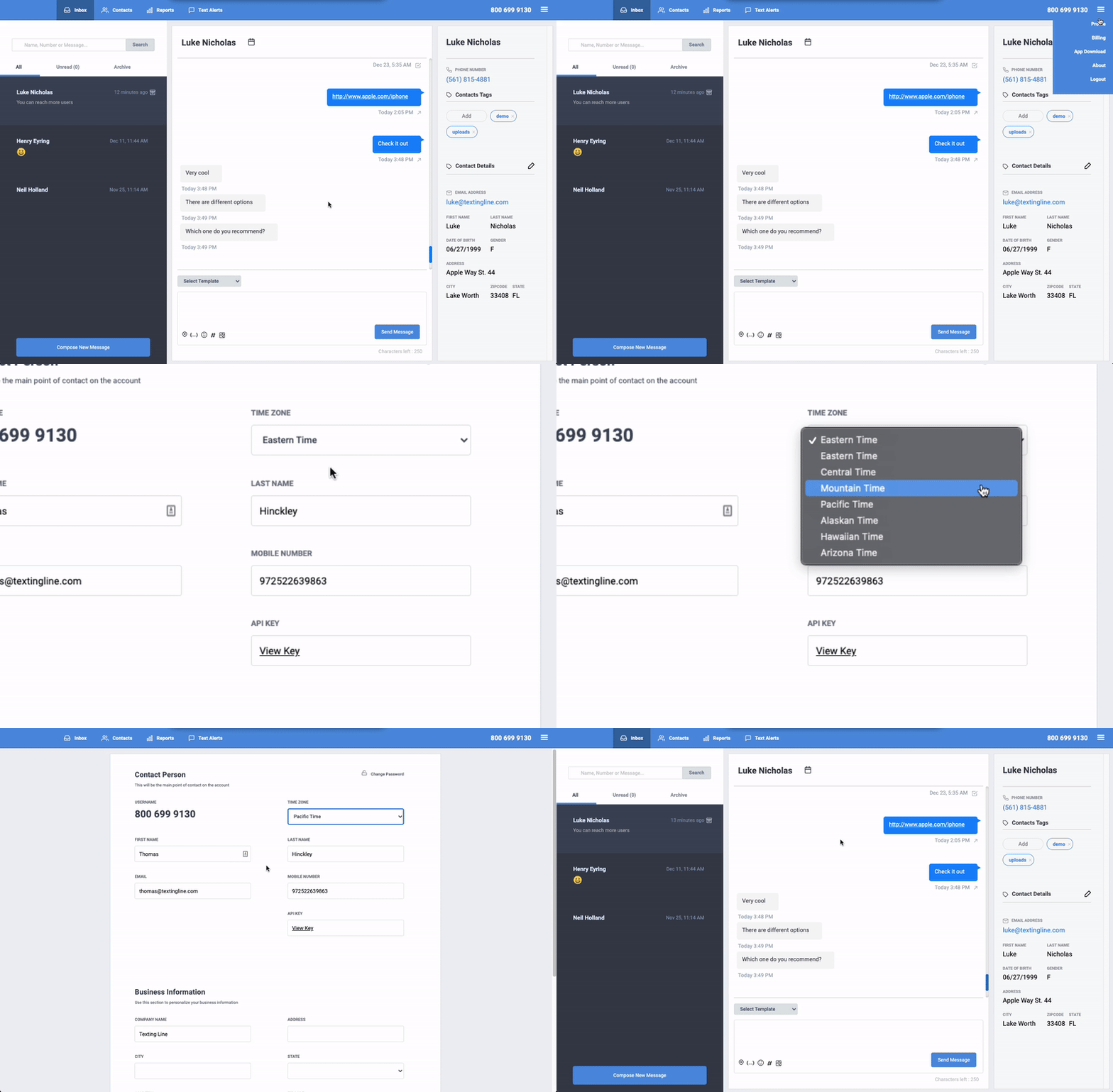
Have a great week!
SMS Factory