Client Billing Cycle
Do you need to know when a client's billing cycle starts? No problem! Start by going to your administrator dashboard and clicking on Clients. On the next screen, search for your desired client and then click on the Billing icon. Finally, this will bring you to a billing report. The Billing Period column will show you the beginning and end of each billing cycle. If you need to change a client's billing cycle, please contact billing@smsfactory.com to modify it.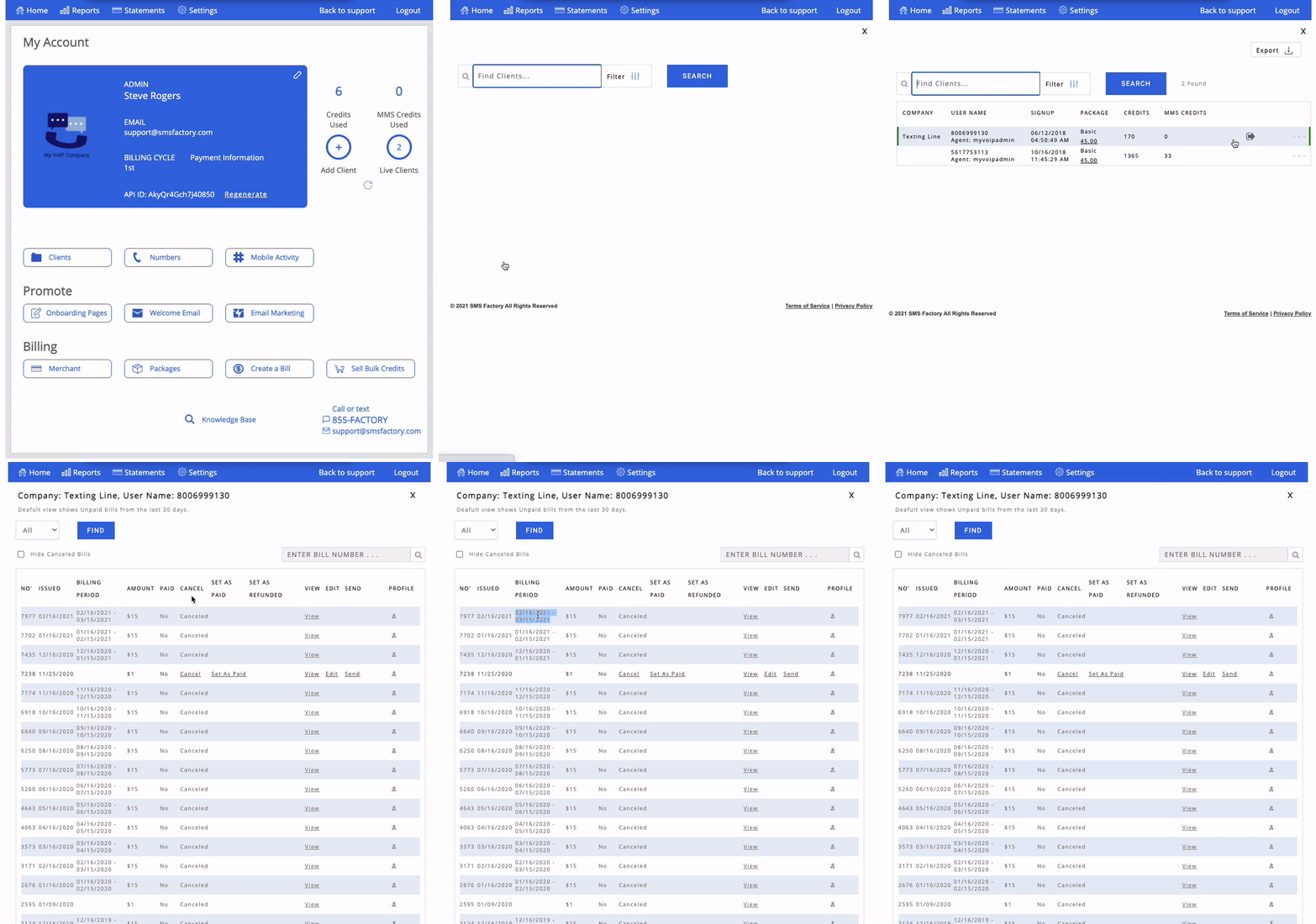
Thank you for choosing SMS Factory!