Blocking account login access
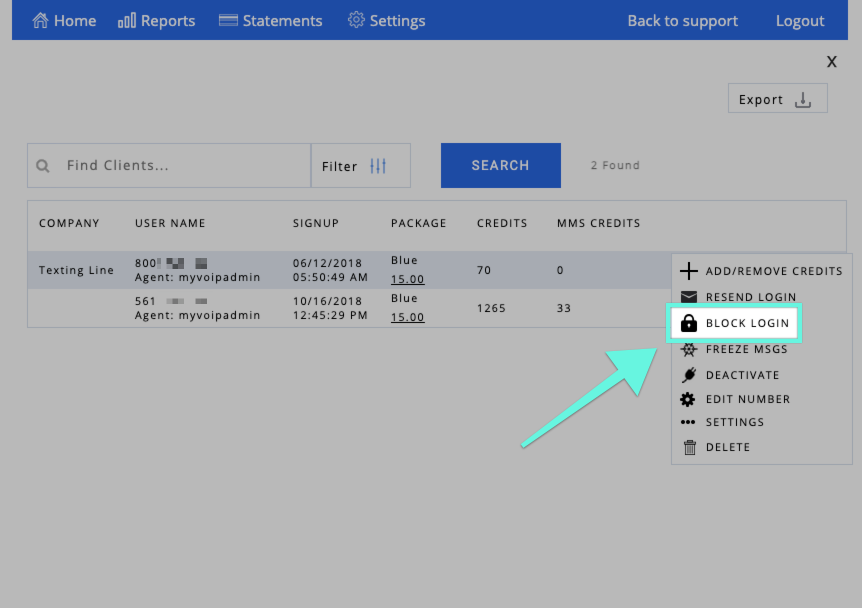
Do you need to permanently or temporarily block a client from login into their account? From your administrator dashboard, click on "Clients." On the next screen, search for your desired client and then click on the additional options (three green dots). A pop-up menu will appear with different features - select "Block Login." Follow the same instructions to unblock the login. The client will not be able to log into the account unless it is unblocked by the administrator.
Thank you for choosing SMS Factory!