Creating a template in our mobile app
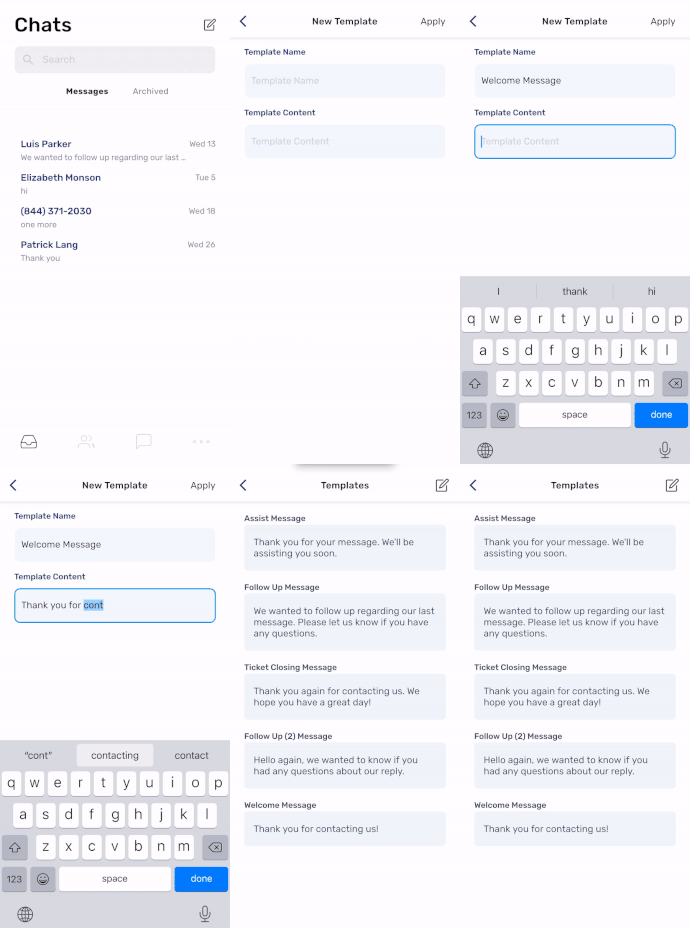
With our updated mobile app, you can create templates on the go. From the main screen, tap the three dots (meatball menu) at the bottom right, and then tap "Templates." On the next screen, tap the compose button on the top right. Give your template a name and message then tap "Apply." Your new template will be created and ready to use!
Have a great week!
SMS Factory