Deleting a template in our mobile app
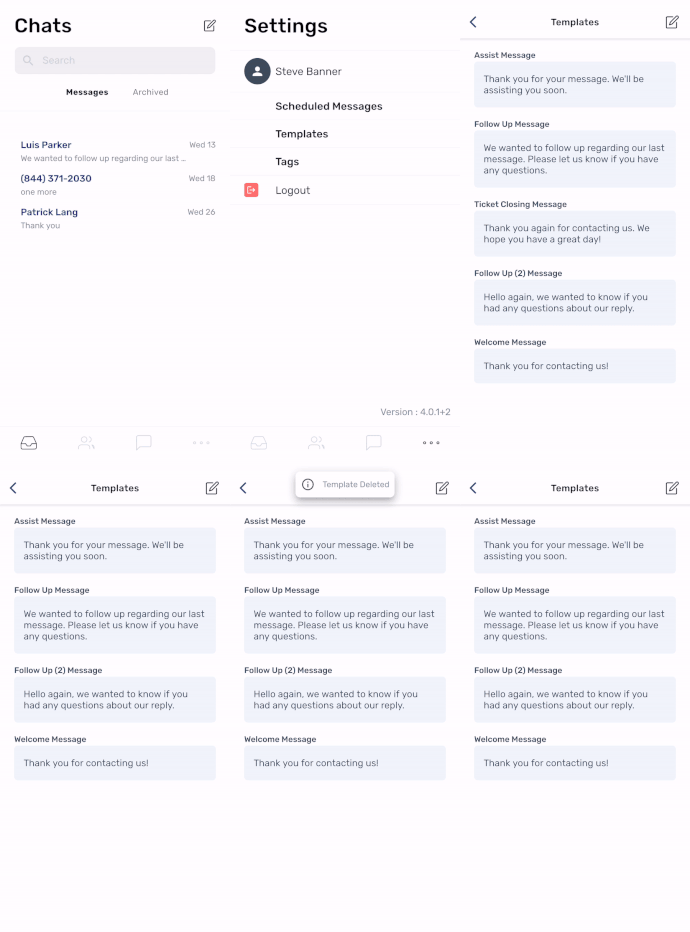
We continue to showcase our template feature on our mobile app this week. Within this feature, there is a useful option to delete templates. From the main screen, tap the three dots (meatball menu) at the bottom right, and then tap "Templates." Slide left to delete the template you wish to remove. This option is available now!
Have a great week!
SMS Factory