Scheduling a single text message in our mobile app
Our mobile app offers the convenience of scheduling single text messages while on the go. These could act as helpful reminders to your contacts.
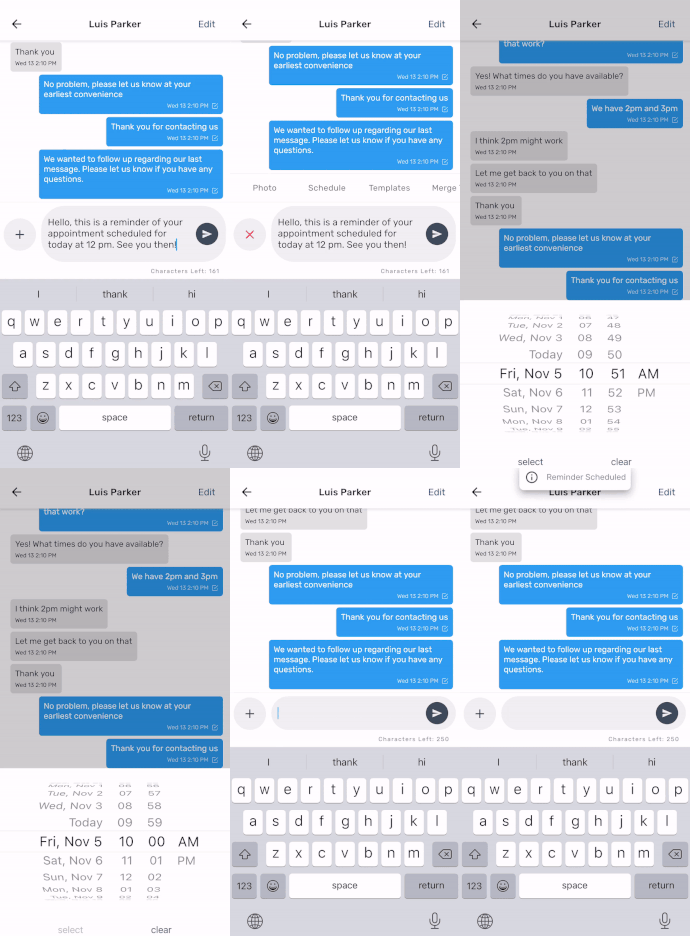
Start by going to your desired conversation and composing your message. Next, press the plus icon and select "Schedule." Choose a day and time for the message to be sent and then tap "Select." The selected date and time will now appear above your message. Press the send button when you're ready. That's it!
If you'd like to learn how to delete a scheduled message, click here.
Have a great week!
SMS Factory