Add a tag to a contact to filter through information such as when sending a text blast.
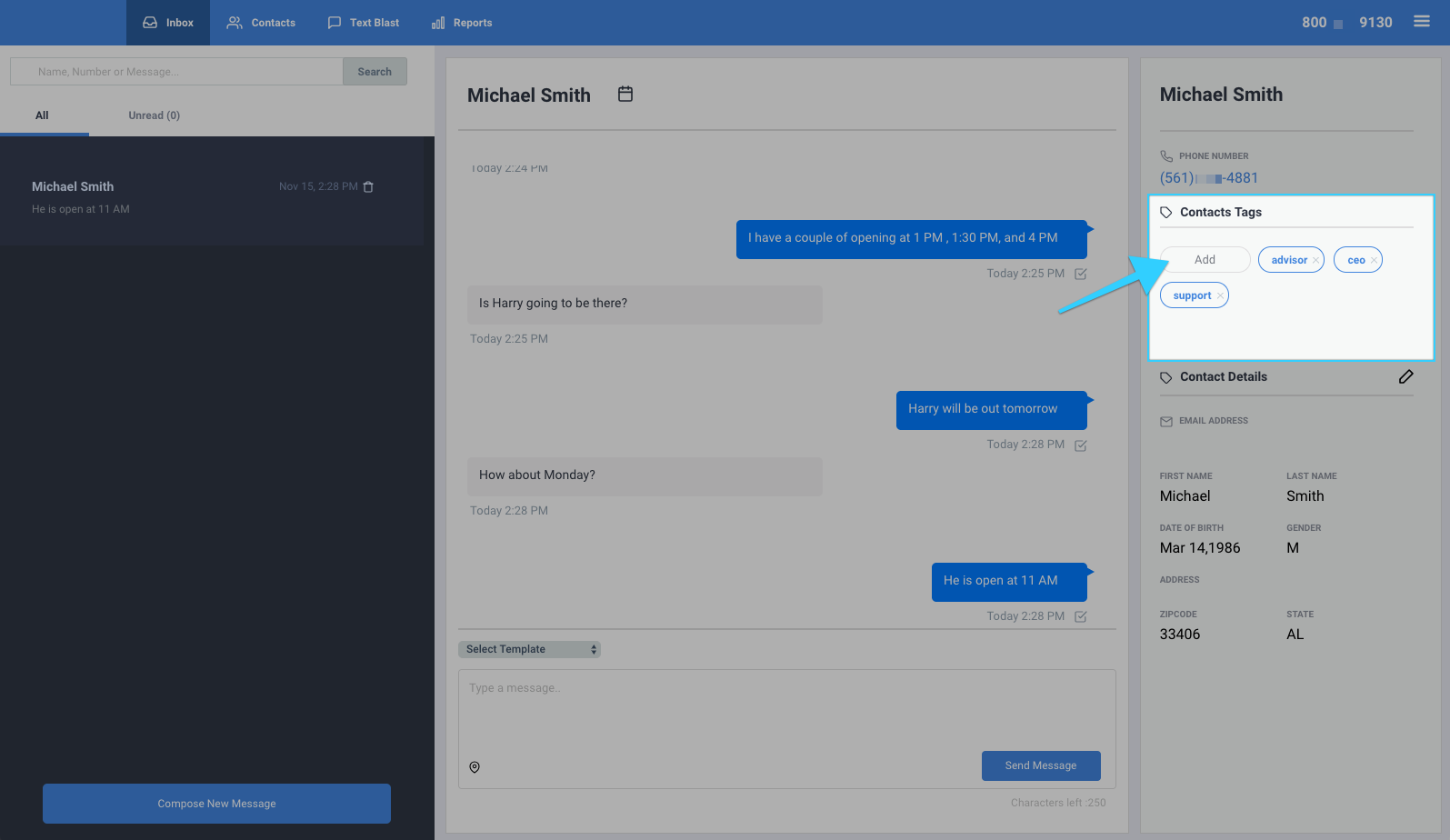
Adding a tag to a contact from the Inbox tab:
- Go to the Inbox tab.
- Select your desired conversation.
- On the right-hand side of the screen, you will find details about that user, including the option to add tags under "Contacts Tags."
- Click on the "Add" button to create or select tags.
Adding a tag to a contact from the Contacts Tab:
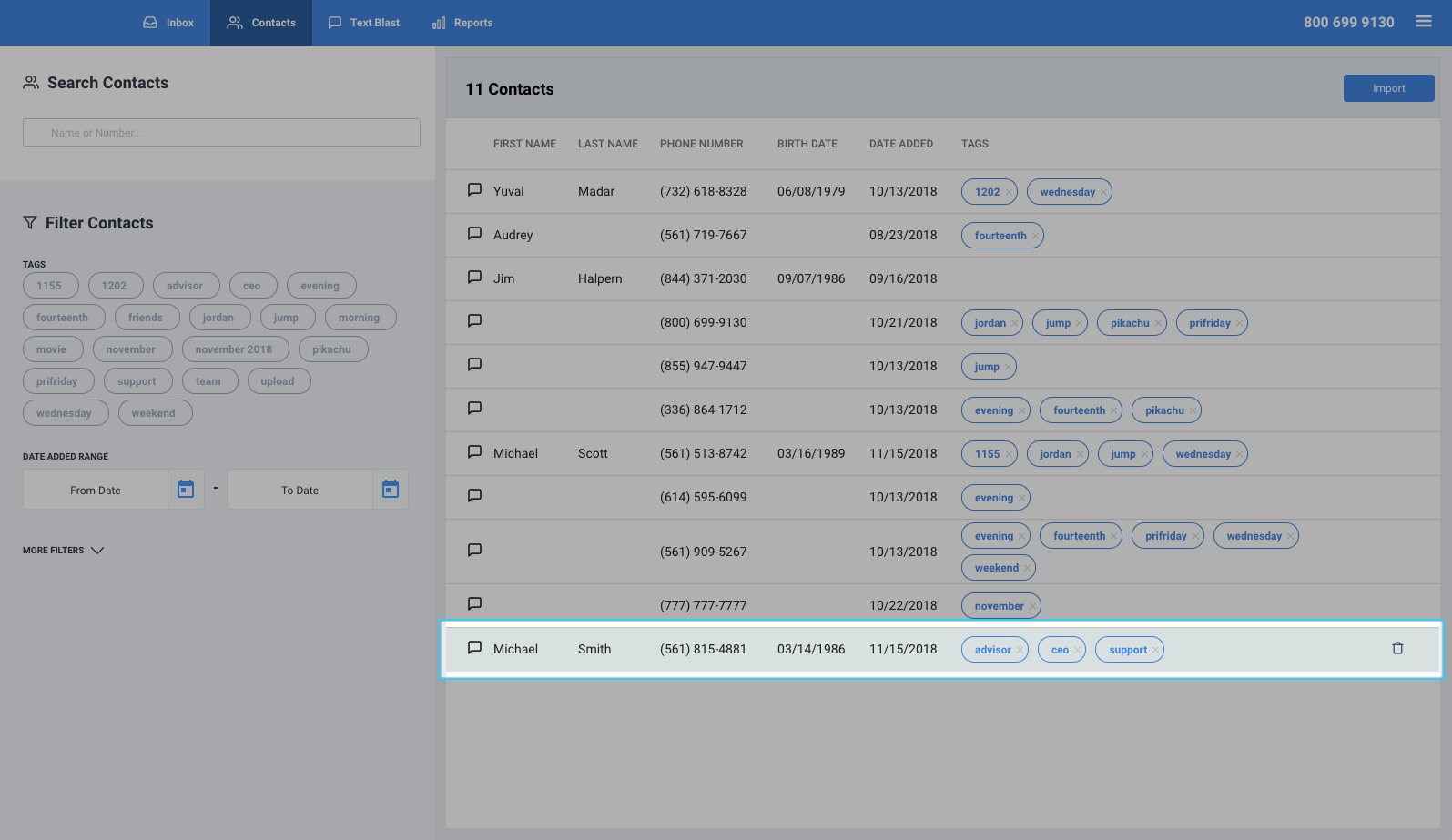
- Go to the Contacts tab.
- Hover over your desired contact and click on the contact's name.
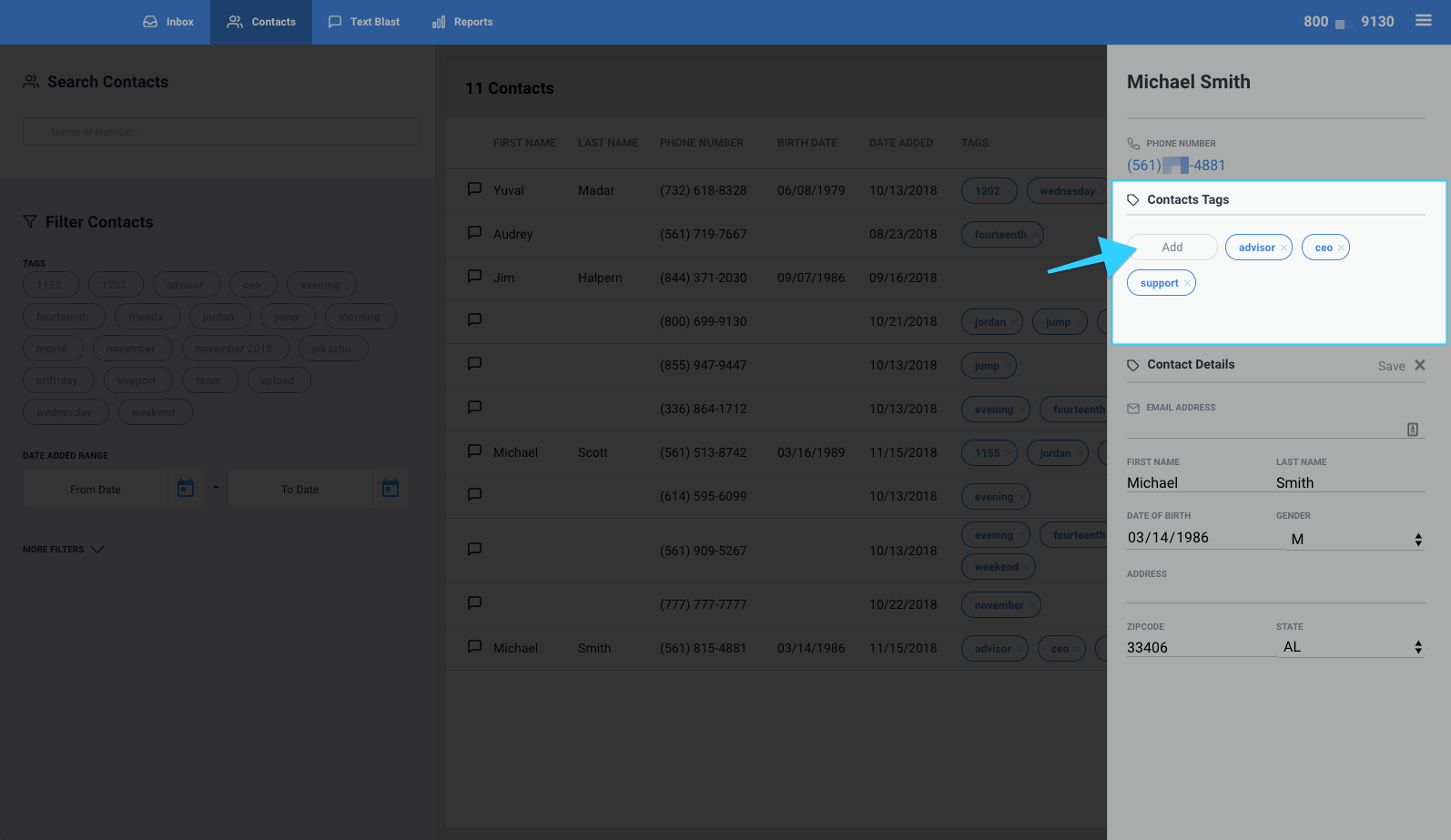
- On the right-hand side of the screen, you will find details about that user, including the option to add tags under "Contacts Tags." Click on the "Add" button to create or select tags.
- You're all set!