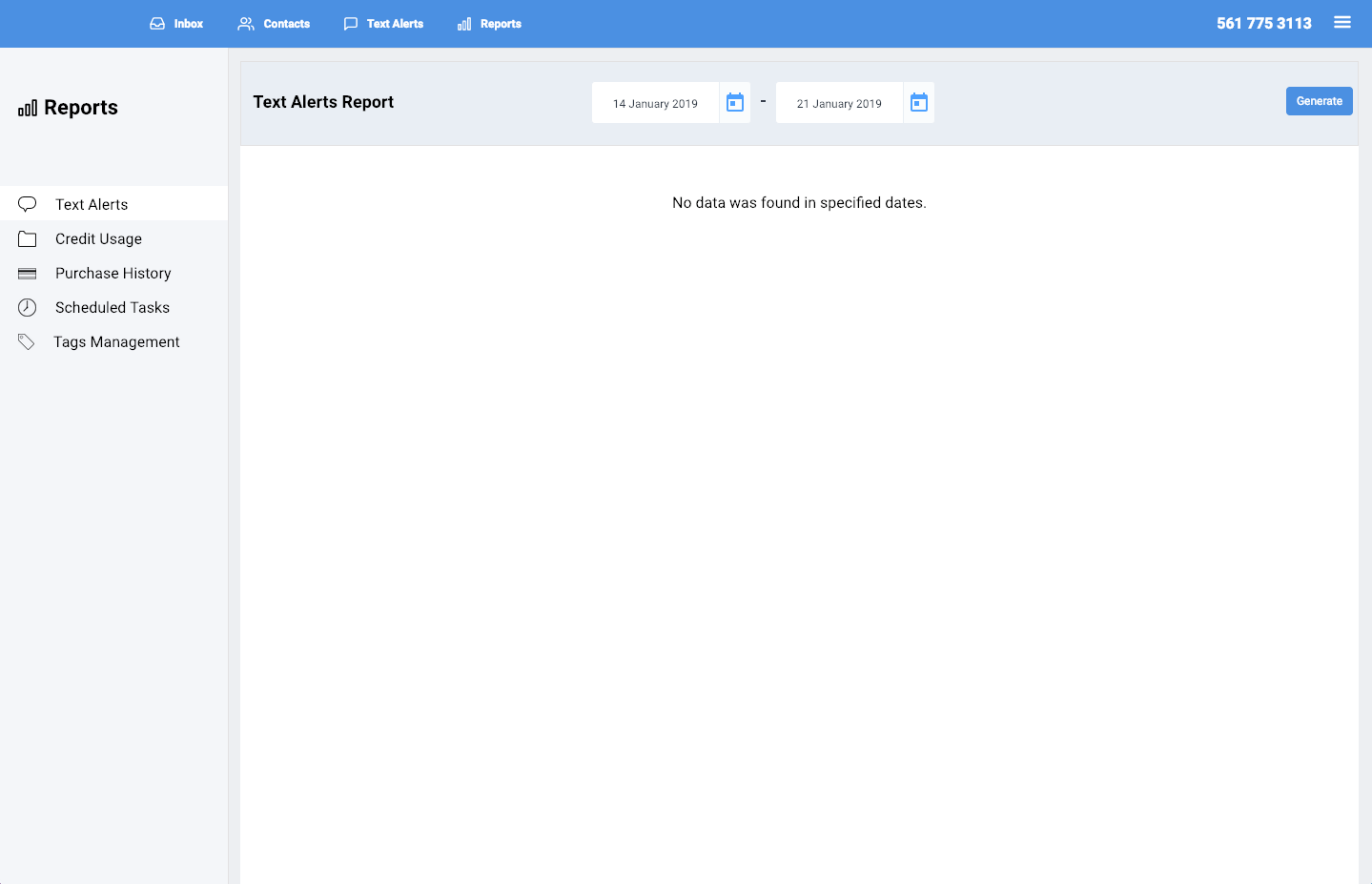
You can view data of text alerts sent in the "Text Alerts" report.
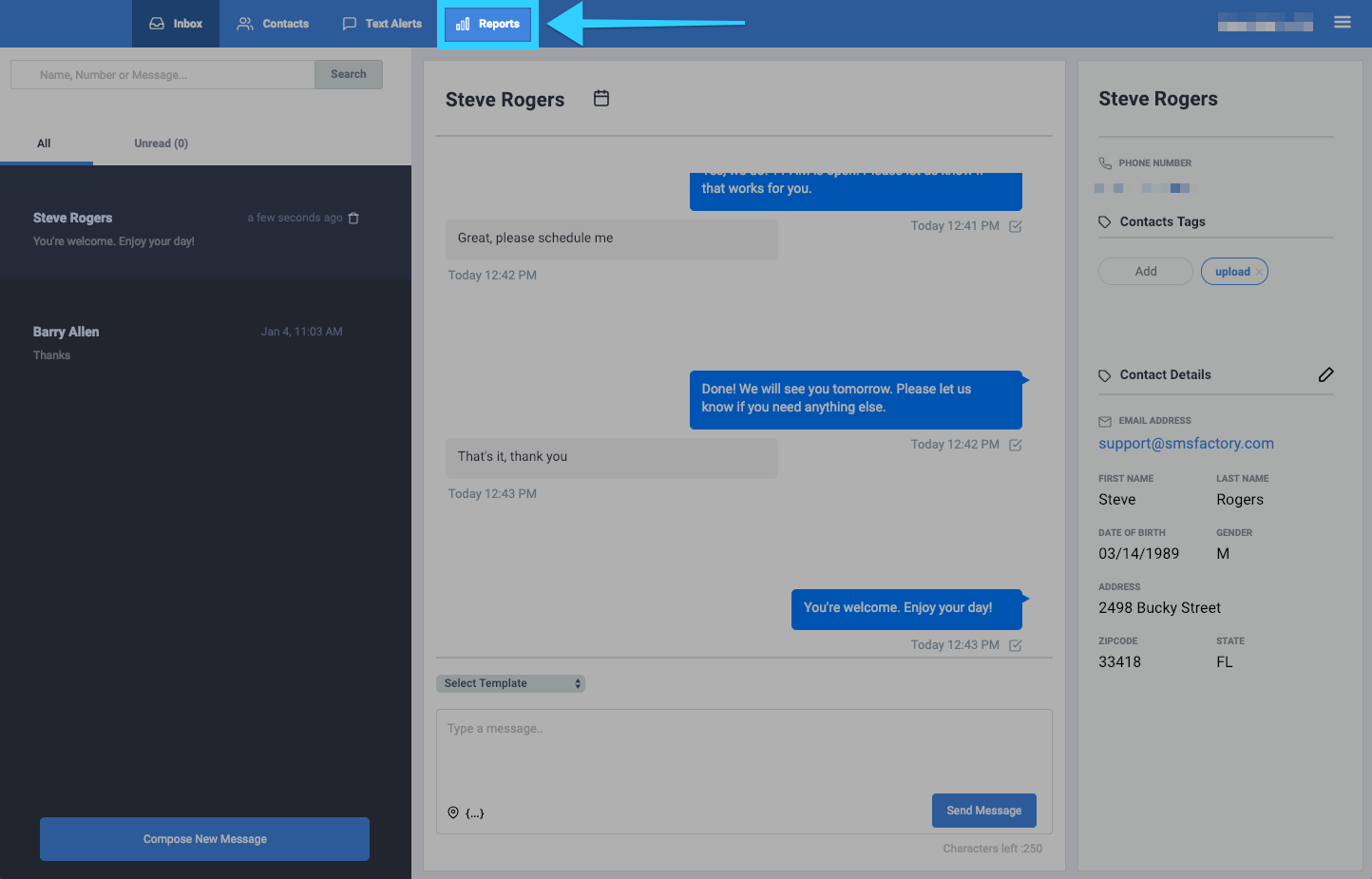
- Click on the Reports tab.
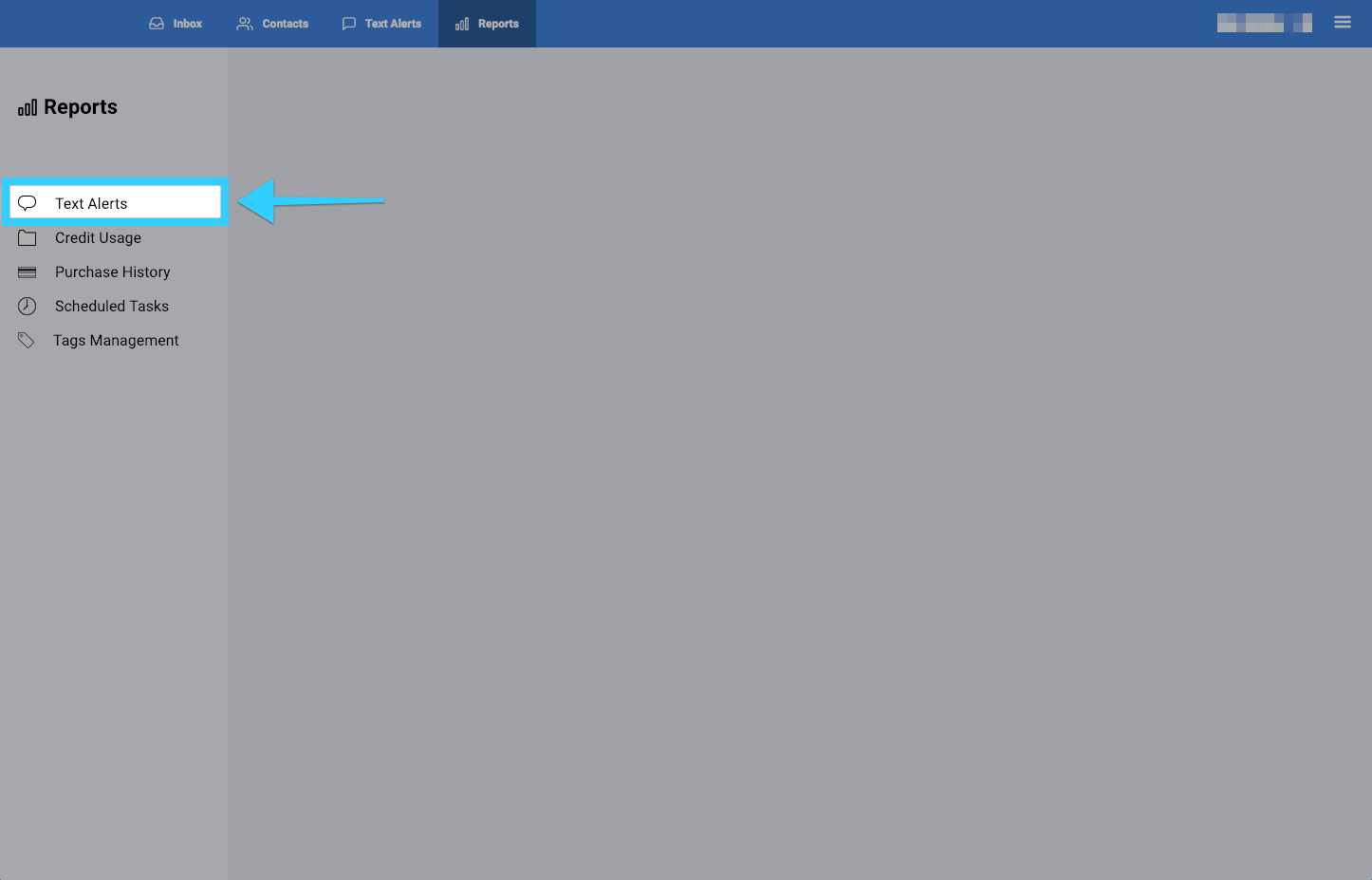
- You will be presented with different report options on the left side of the screen. Click on "Text Alerts."
- You will then be presented with a report of all the text alerts sent.
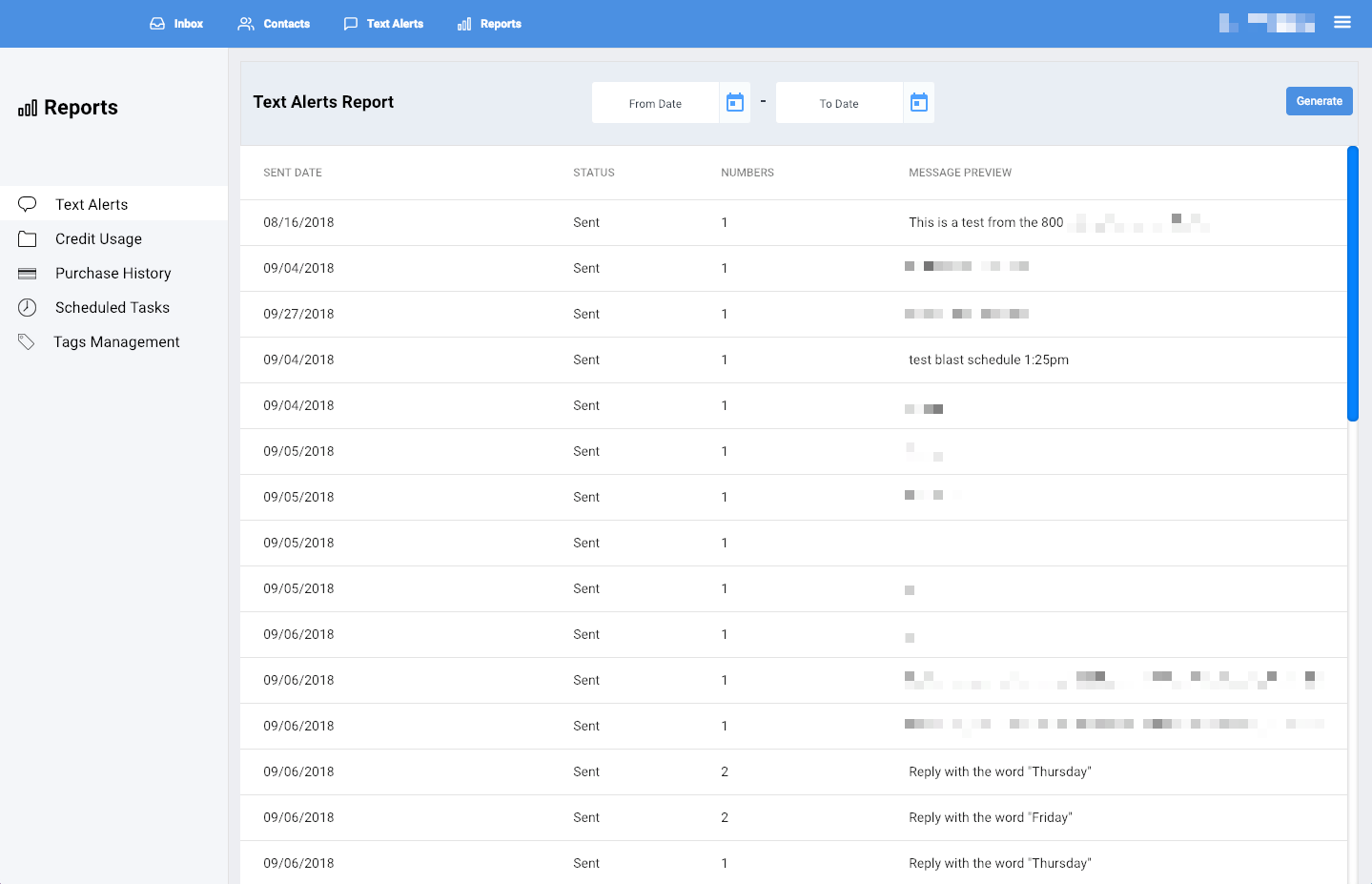
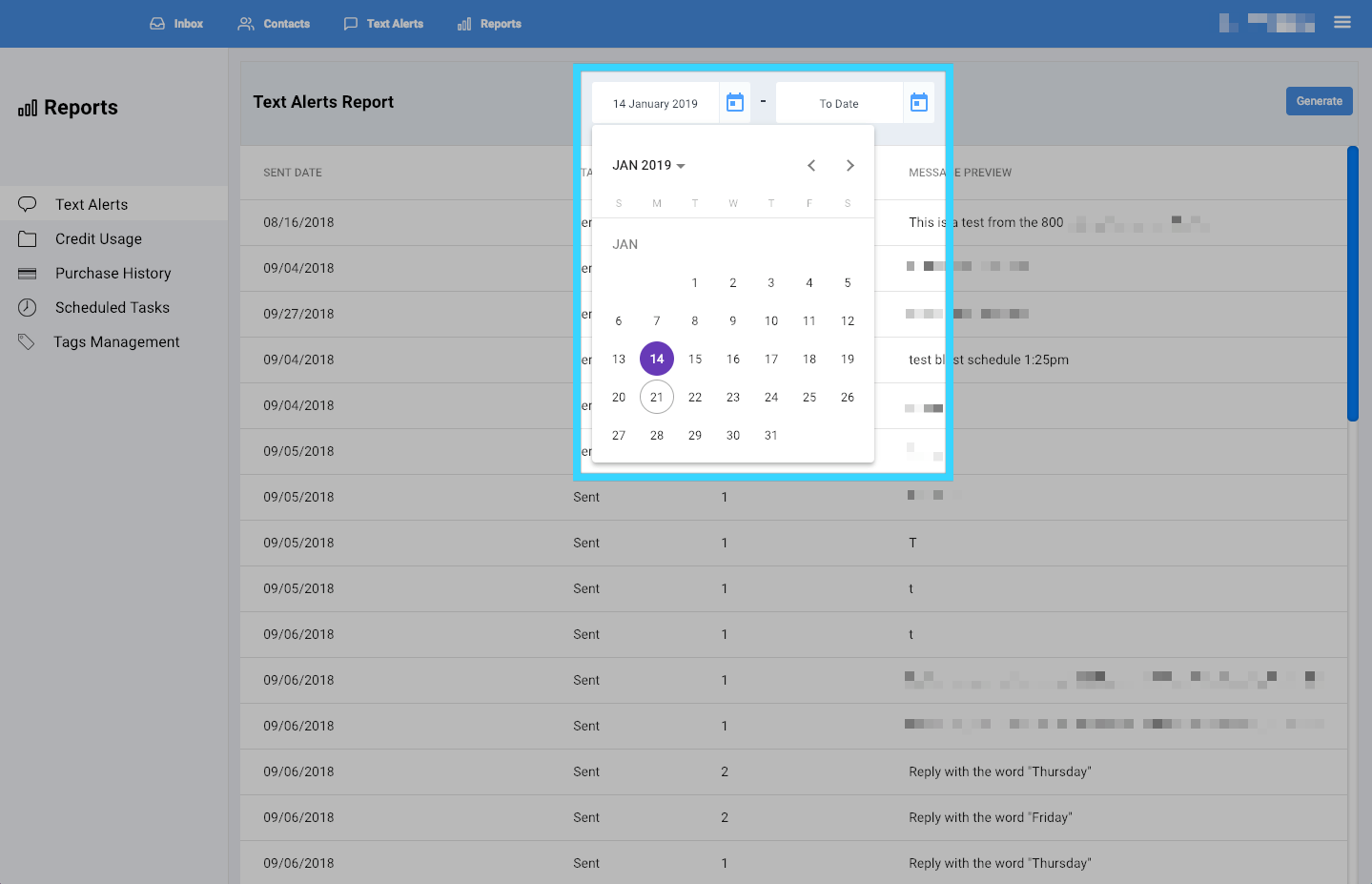
- You can filter the report by selecting a desired time period at the top.
- Once you've selected your desired time period, click "Generate."
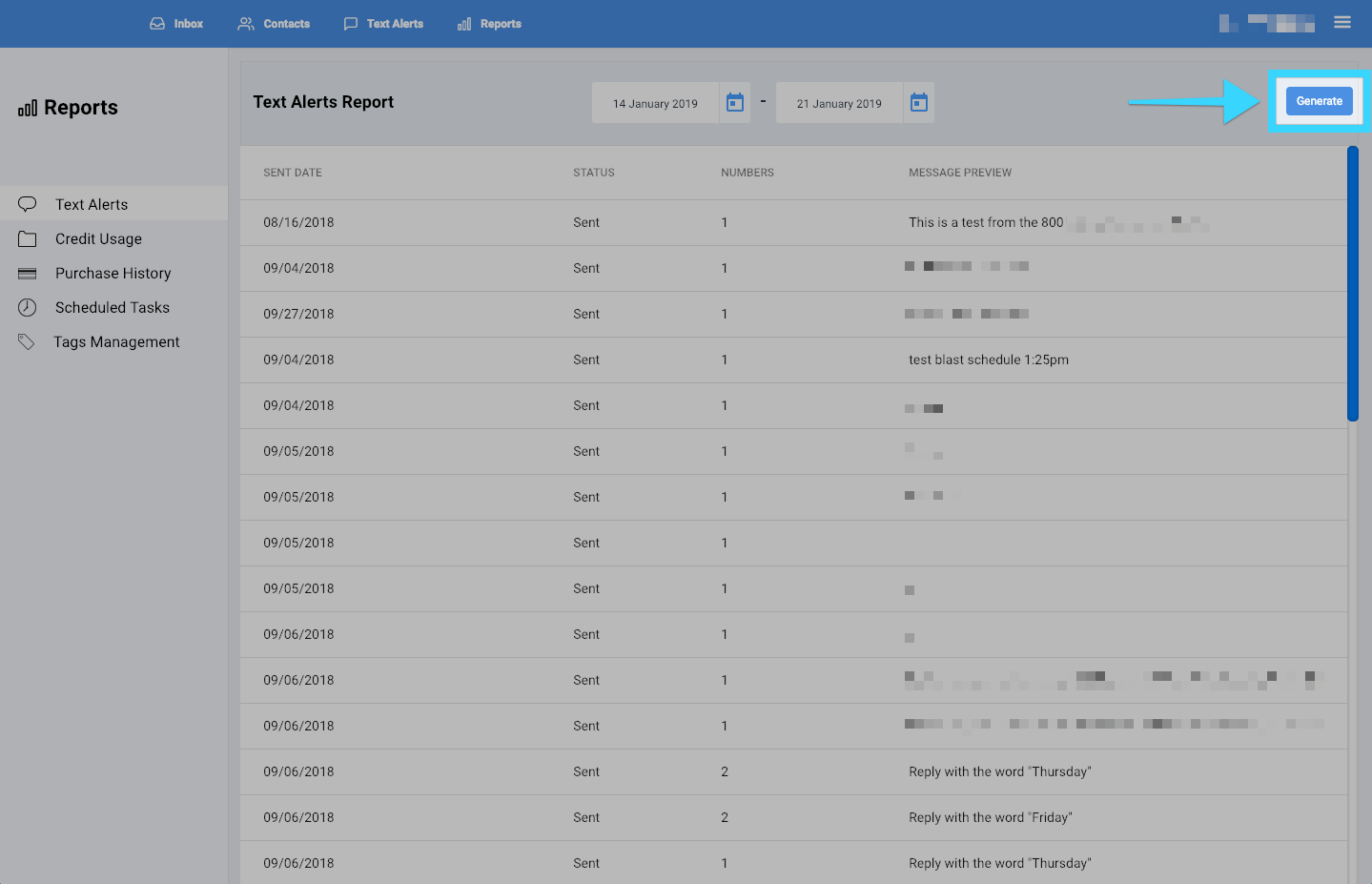
- Finally, you will be presented with a report of your desired time period. If there isn't any data for that time period, no data will be shown.