You can schedule reminders directly from our mobile app to notify users of upcoming appointments, events, etc.
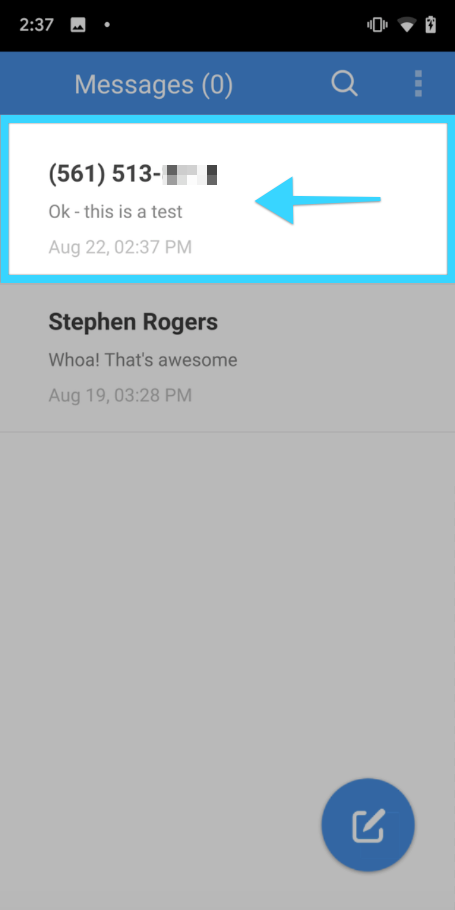
- Press on your desired conversation with the user that will be receiving a reminder:
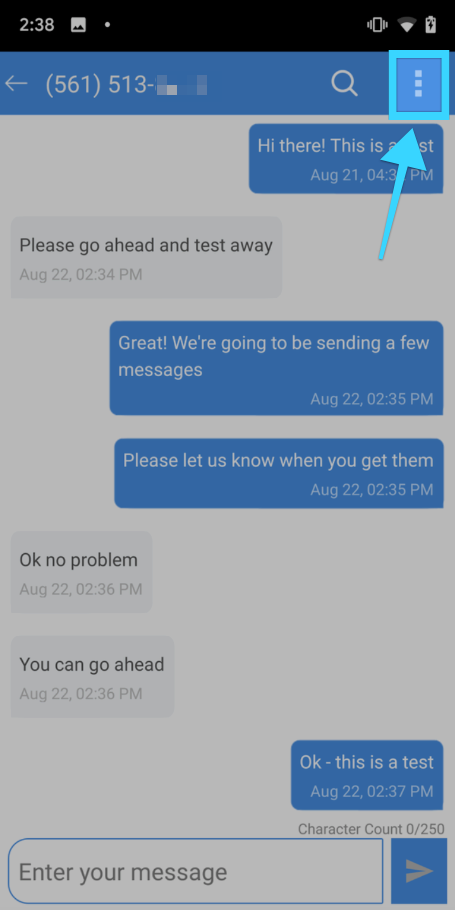
- On the next screen, tap on the three dots on the top right:
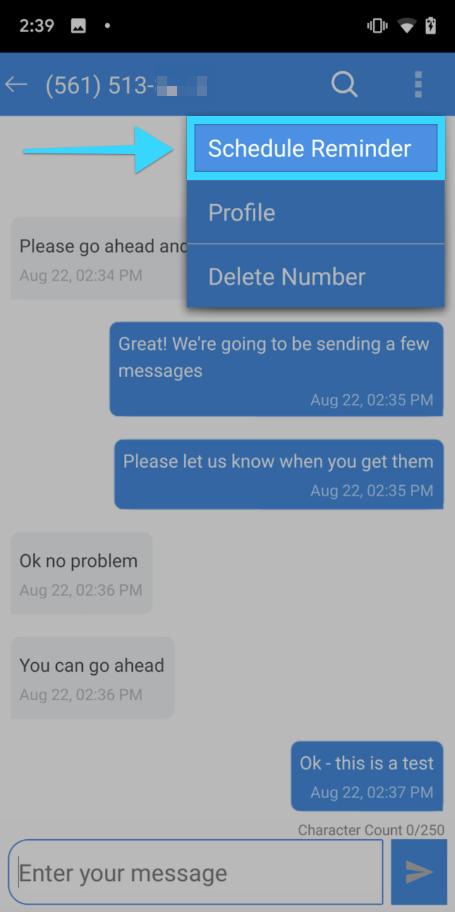
- On the dropdown menu, press "Schedule Reminder":
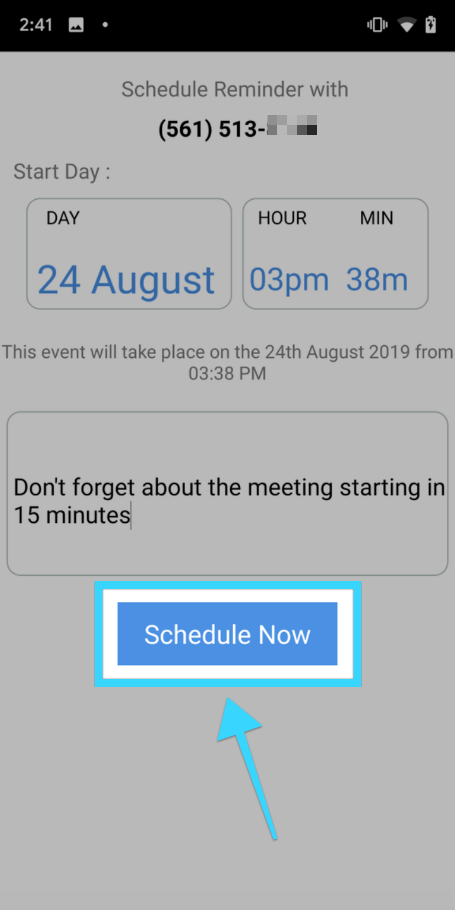
- A screen to schedule your message will be displayed:
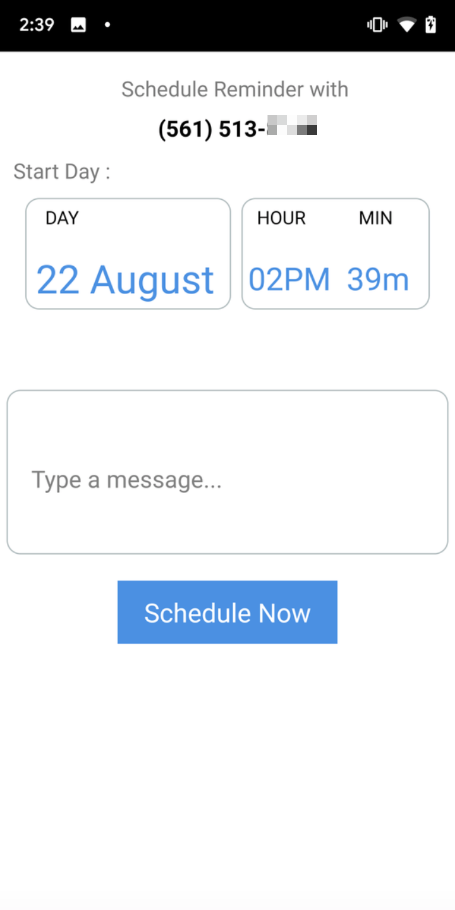
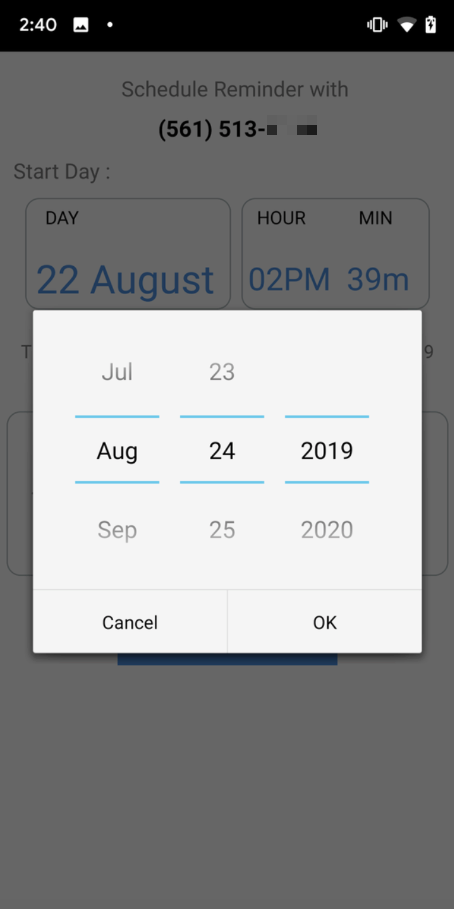
- Tap on the date options and select the date you'd like your reminder to go out:
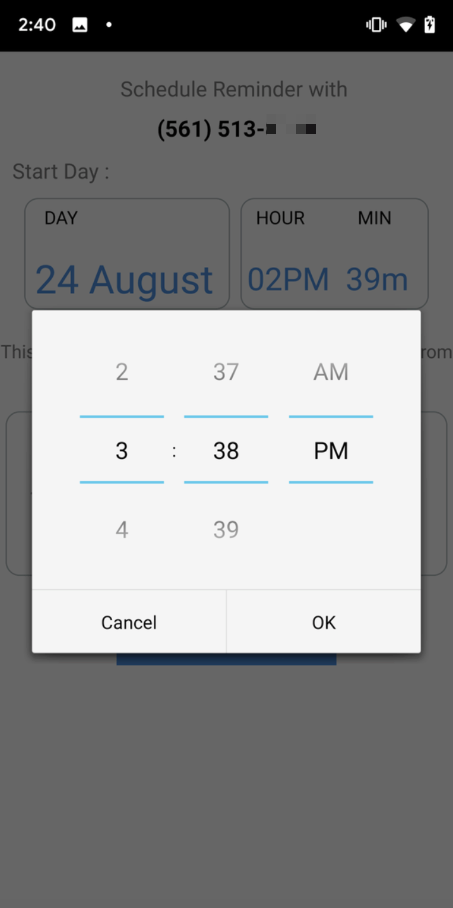
- Tap on the hour or minute options and select the time you'd like your reminder to go out:
- Enter the message that will be delivered with the reminder:
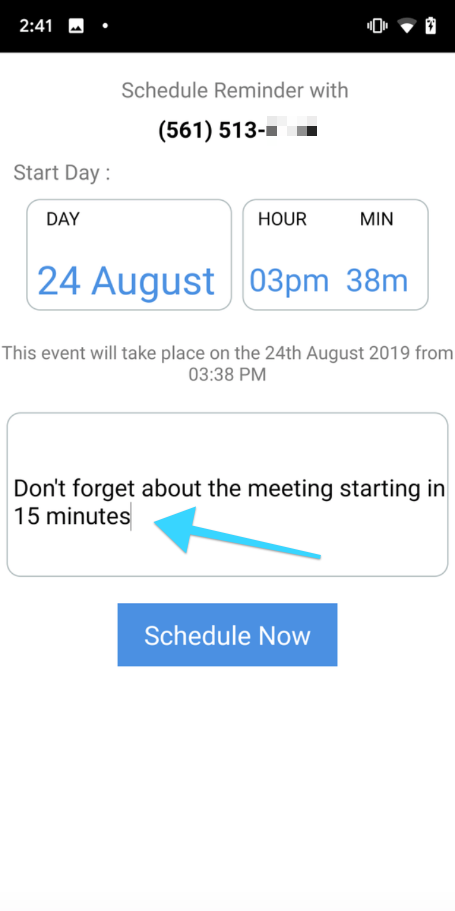
- When you're ready to schedule your reminder, press "Schedule Reminder":
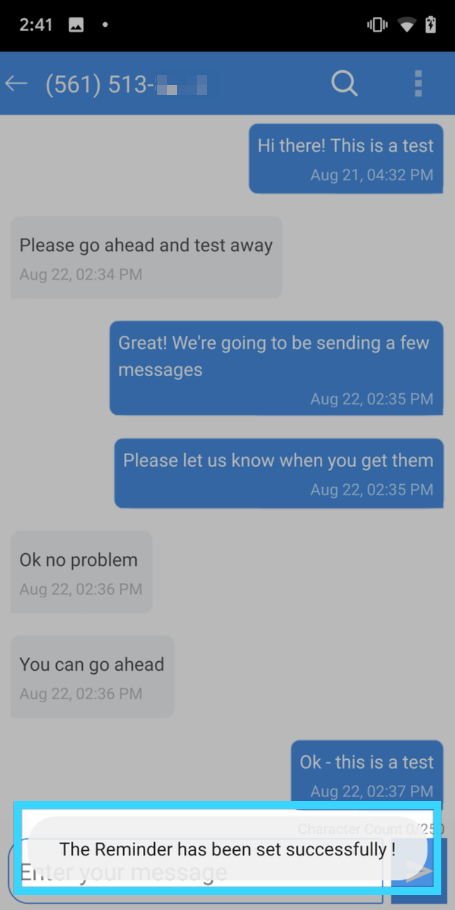
- You will see a message at the bottom of the screen letting you know your reminder has been scheduled successfully.
- Note: If you need to edit or cancel a reminder, you will need to log into the desktop dashboard. Click here to read the complete guide.