How do I add MMS credits to packages?
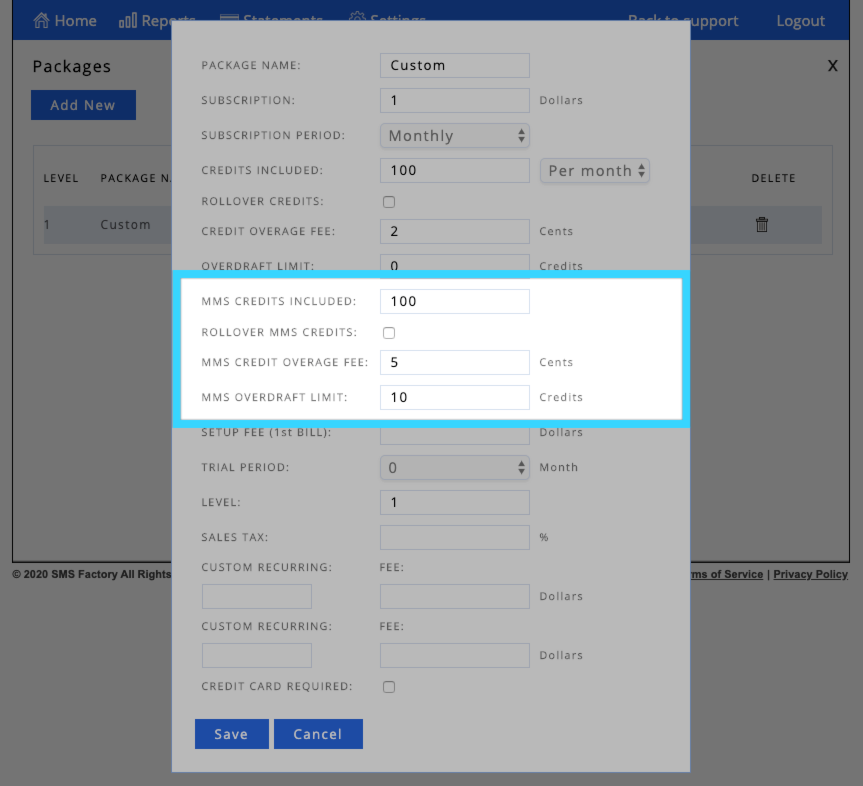
Once you've enabled the option for users to send MMS messages you'll need to add MMS credits to their package. From your Administrator Dashboard, click on "Packages." Next, click on "Update" next to the package you'd like to have MMS credits. You will then see a screen with the package details and you'll be able to add MMS credits. Once you add how many MMS credits you'd like the package to have, click "Save." Finally, choose if you'd like to apply this change only to new accounts or all your accounts. For more frequently asked questions related to our MMS feature, please click here.
Thank you for choosing SMS Factory!