How do I add MMS credits manually to accounts?
Is your client running out of MMS credits? No problem! You can manually add MMS credits by going to your admin dashboard and clicking on "Clients." Next, find the client that you're looking for and click on the green dots to right. On the menu, select the option to "Add/Remove Credits". A pop-up window will give you the option to add SMS or MMS credits. In the MMS credits field, add the MMS credits that you'd like to give to your client and click "Add." The counter will then show the MMS credits that the account currently has. For more frequently asked questions related to our MMS feature, please click here.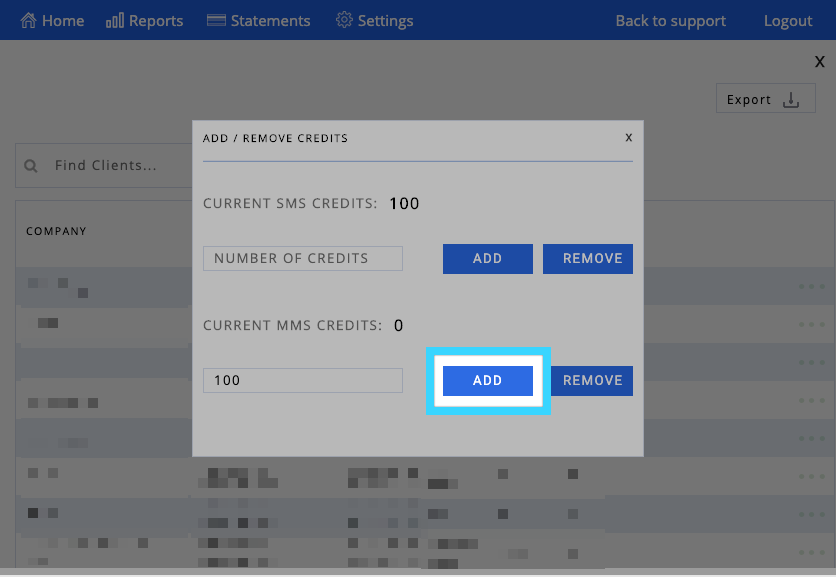
Thank you,
SMS Factory