Updating a package
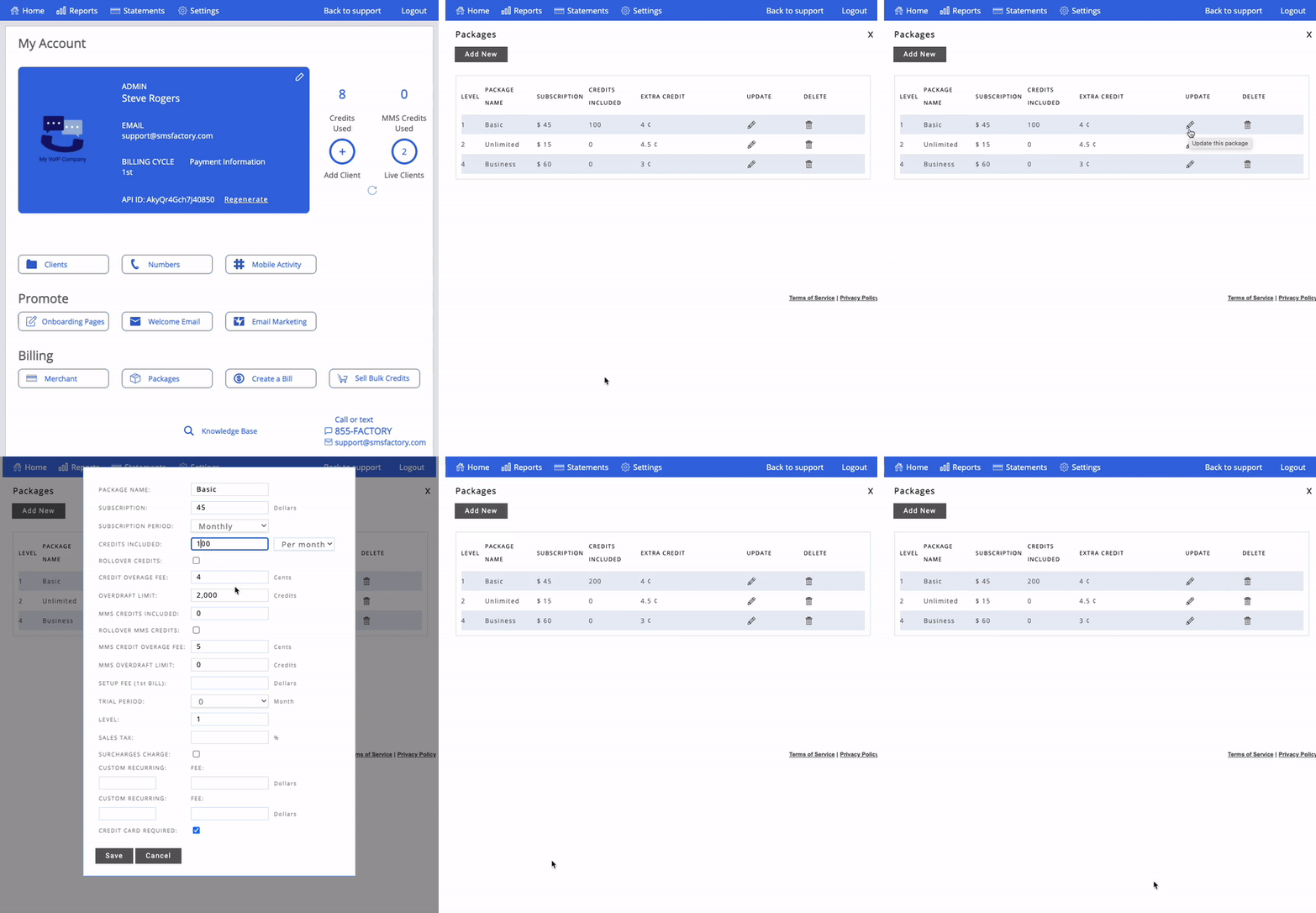
Would you like to update one of your packages? No problem. Head to your administrator dashboard and click on "Packages." On the next screen, look for the package you'd like to update and click the pencil icon to edit it. You will then be presented with the package details. Update your desired options and click "Save." Finally, select if you'd like the package update to apply to only new accounts that will be created or to all accounts.
Click here to learn more about packages.
Thank you for choosing SMS Factory!